Ultra-Cheap “doorbuster” 4K TVs (Black-Friday-Only Variants)
These specials look irresistible, but they’re usually stripped-down builds that share model names with nicer versions while quietly removing key parts. Expect lower peak brightness, weak HDR tone-mapping, limited color volume, fewer HDMI ports, slower processors, and mediocre motion handling—issues a store demo loop conveniently hides. After setup, sports smear, shadow detail crushes, and apps crawl. Returns are a pain once the box is trashed.

Safer bet: last year’s well-reviewed midrange models with measured brightness, local dimming, HDMI 2.1, and eARC, often discounted as deeply without hidden compromises.
“1080p Supported” Mini Projectors With Low Native Resolution
“1080p supported” means the projector accepts a 1080p signal but downscales to a lower native resolution. Claimed lumens are often marketing fantasy, so daytime viewing looks muddy and nighttime blacks are gray. Keystone fixes and digital zoom soften focus, while fan noise intrudes on quiet scenes. Built-in speakers disappoint, and weak app support frustrates. People regret the purchase after the first movie night.

Safer alternatives: an actual 1080p home-theater projector from established brands, a brighter short-throw model for small rooms, or even a large, high-quality TV if you watch mostly with lights on.
Budget “HDR” Computer Monitors With Low DisplayHDR Certifications
“HDR” on the box misleads. HDR400 panels rarely deliver meaningful highlights because they lack local dimming, wide color gamuts, and sustained brightness. You’ll see slightly elevated SDR rather than true dynamic range, plus gradient banding from 8-bit+FRC and raised blacks that wash out dark scenes. Many also ship with shaky factory calibration and mediocre contrast from inexpensive IPS. Buyers expect cinematic punch and feel deflated.

If you actually want HDR, spring for true 10-bit panels with HDR600/1000 targets, proper local dimming, verified wide gamut, and credible measurements from rigorous reviewers—not marketing slides.
Older Smartphones Nearing End of Software Support
The discount looks huge because the runway is short. Near-EoL phones stop getting security patches soon, struggle with newer apps, and ship with batteries already past their prime. Cameras falter in low light, 5G band support can be incomplete, and resale value collapses quickly. Sellers sometimes blur the release year in listings, compounding confusion. Buyers regret the false economy within months.

Choose recent models with clear multi-year OS and security commitments, or certified refurbs with fresh batteries and warranties from reputable programs. You’ll keep features, app compatibility, and trade-in value much longer.
Security Cameras/doorbells That Require Subscriptions for Core Features
The hardware discount is a decoy. Useful features—rich notifications, extended video history, person recognition—often sit behind monthly fees, and some brands have hiked prices post-sale. Over two years, subscriptions easily outweigh the “deal,” and switching platforms is irritating. Many entry cams also lack local recording options or have clumsy integrations with HomeKit, Google Home, or Alexa. Regret arrives when you either pay indefinitely or lose functionality.

Prefer cameras with robust local storage, on-device AI detection, and optional cloud extras. Review long-term pricing before buying; predictability matters more than a one-day discount.
Windows Laptops With 4GB RAM and EMMC Storage
These doorbusters feel cheap because they are. With 4GB RAM, Chrome tabs constantly reload and background tasks stutter. eMMC storage crawls during Windows updates and app installs, making the machine feel broken on day two. Dim TN-ish screens, cramped 64–128GB storage, and wobbly keyboards compound the misery. Most owners replace them within a year, wiping out any savings.

Aim for 8–16GB RAM, NVMe SSD, a modern i3/Ryzen 3 or better, and a 1080p IPS display. Last year’s midrange models—or certified refurb business laptops—often cost slightly more but perform for years.
Cheap Wi-Fi Extenders Instead of Proper Mesh
Extenders seem like quick fixes but often halve throughput and create separate SSIDs, so phones cling to weak signals and video calls drop. Interference, double NAT, and manual hand-offs produce constant annoyances. Shoppers regret spending anything on band-aids that don’t scale. If coverage is the problem, invest in a two- or three-node mesh with Ethernet backhaul options, competent processors, and automatic band steering.

Even older tri-band kits beat stacking extenders. Place nodes centrally, elevate them off the floor, and test channels—simple setup choices amplify returns far beyond any extender’s promise.
Find My Device/AirTag Alternatives Expecting Apple-Level Recovery
Many newer trackers promise broad networks, but coverage and update frequency still lag Apple’s system in many regions. Buyers expect near-instant indoor precision and feel let down by sporadic pings, slower crowd-finding, or awkward app UX. Anti-stalking alerts and platform-level integration also vary, impacting reliability and trust. If you prioritize maximum recovery odds, pick the tag that aligns with your phone ecosystem and travel habits.

Android users should choose devices that explicitly integrate with Google’s network; iPhone owners generally fare best with AirTags. Calibrate expectations before chasing a flash sale.
Cheap Inkjet Printers With “free Ink” That Costs You Later
Entry inkjets lure with low sticker prices and trial subscriptions, but tiny cartridges, cleaning cycles, and firmware that resists third-party ink make ownership expensive. Leave it idle and printheads clog; use it often and ink evaporates into maintenance. Wireless setup can be flaky, and photo quality underwhelms without premium paper. Buyers regret drip-feed costs and downtime.

Better choices: a monochrome laser for documents—fast, crisp, low cost per page—or a tank-style inkjet if you actually print color frequently. Always calculate total cost of ownership over two years, not just the box price.
Dash Cams Using Lithium Batteries Instead of Supercapacitors
Windshields get brutally hot and icy cold—conditions lithium cells hate. Battery-based dash cams shut down, swell, or corrupt recordings precisely when you need footage. Parking mode becomes unreliable in summer heat. Supercapacitor designs better tolerate extremes and ensure proper file saving on power loss. Regret spikes after the first heatwave. Choose supercapacitor models with dependable loop recording, GPS, decent night vision, and CPL filter support; pair with a hardwire kit for parking mode.

Spending a little more up front dramatically increases the odds your crucial clip actually survives.
Sub-$100 “4K” Action Cameras
Budget action cams wear “4K” like a badge, but footage is soft, oversharpened, and wobbly under anything but bright noon sun. Low bitrates smear details, electronic stabilization crops heavily or jitters, and color science flips between teal and orange depending on the scene. Accessories are flimsy, microphone quality is poor, and batteries collapse in cold. People compare results with friends’ GoPros and instantly regret the compromise.

If money’s tight, buy a previous-generation GoPro or DJI on sale or certified refurb—you’ll get superior stabilization, sensor performance, and accessory ecosystems that actually last.
Toy Drones With No GPS/Return-To-Home
They’re fun out of the box—until a gust or quick disconnect sends your quad drifting into a tree. “One-key return” without GPS is marketing fluff, altitude hold wanders, and fixed-mount cameras wobble during turns. Many toys also lack stabilized footage, so memories look shaky. Regret peaks the moment the drone flies away. For beginners, pick compact models with GPS, reliable Return-to-Home, obstacle sensing, and decent flight times.

Spending a bit more on an entry drone from DJI or Autel reduces crashes, preserves footage, and lets you learn safely with confidence.
Older/unsupported Virtual Reality Headsets on Clearance
Massive discounts often signal that a platform’s update pipeline is drying up. Once major firmware updates stop, app compatibility erodes, social features break, and security patches end. You’ll miss improved tracking, mixed-reality features, and newer controller tech. People regret buying hardware that can’t run the experiences friends recommend six months later. Instead, choose current-generation headsets with clear multi-year support commitments and vibrant developer ecosystems.

Look for comfort upgrades, good passthrough, strong libraries, and transparent roadmaps—things that matter long after a flashy sale price fades from memory.
Cheap Wireless Earbuds and AirPods Lookalikes
Knockoffs promise active noise cancelation, long battery life, and crisp calls. Reality: harsh treble, boomy bass, unstable Bluetooth, latency in videos, unreliable touch controls, and poor microphones that friends complain about. Many copy packaging so closely that returns are messy, and some use questionable batteries. Buyers quickly replace them, spending more overall. Better: discounted models from reputable brands like Apple, Samsung, Sony, Jabra, Anker Soundcore.

With these brands, the app fine-tunes fit, ANC, and EQ, and replacement tips and cases are easy to find. You’ll get consistent pairing, safer charging, and support that actually exists.
Older Smartwatches/fitness Bands That Hide Key Features Behind Subscriptions
That cheap watch seems great until sleep staging, readiness scores, guided workouts, or extended history live behind monthly fees. Over time, subscriptions outstrip the “deal,” and older models may also stop receiving meaningful features or show declining battery life. People resent feeling nickel-and-dimed. Before buying, total a two-year cost including subscriptions and accessories. Prefer watches that deliver core metrics without paywalls, promise multi-year updates, and use standard bands and chargers.

If advanced insights matter, ensure the subscription truly adds value; otherwise, pick a model with robust free features that you’ll actually use.
“Energy-Saving” Plug-In Miracles for Your Electrical Bill
Social ads tout magic boxes that “stabilize” residential current, promising dramatic savings with zero effort. In typical homes, they don’t measurably reduce consumption and sometimes violate safety standards. At best, you waste money; at worst, you introduce a fire hazard behind furniture you never check. Returns are tricky because sellers vanish after holiday spikes. Spend on proven efficiency upgrades rather than pseudoscience packaged in glossy plastic.
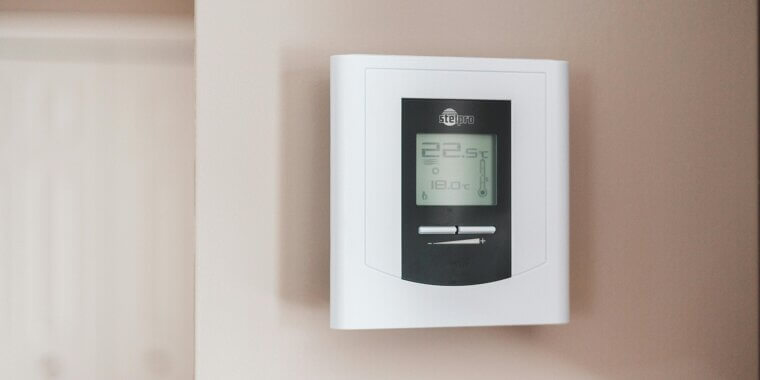
Real savings come from LED bulbs, efficient appliances, smart thermostats, insulating drafts, and smart plugs that reveal which devices actually guzzle power.